

You can change you address at anytime by logging into your personal Member Account page.
*Please note the we need all address changes before the 8th of the month for the change to go through for that month's shipment. Changes made after the 8th will apply to the following month's shipment.
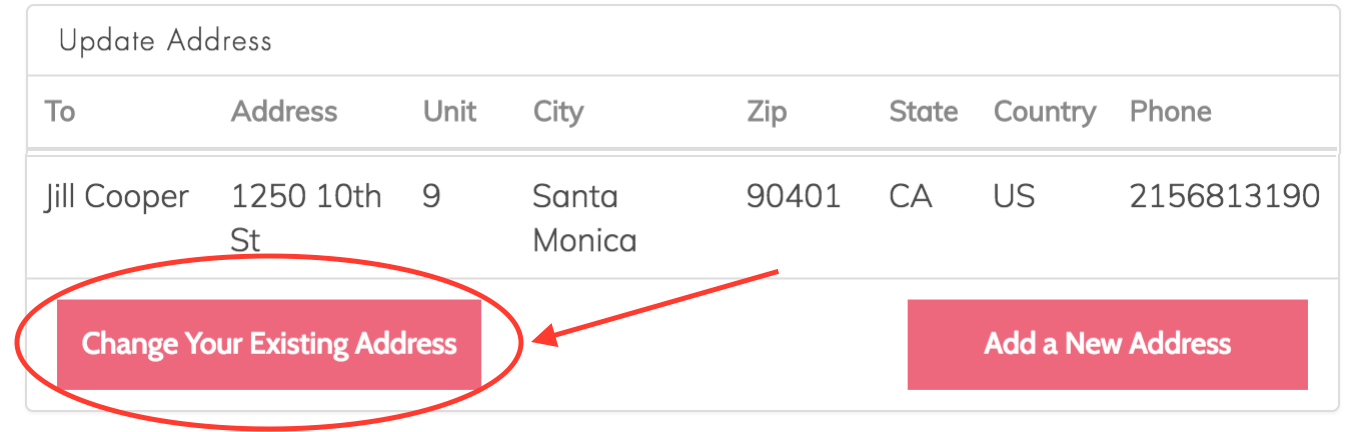
On the right hand side scroll to the section which reads UPDATE ADDRESS. Click CHANGE YOUR EXISTING ADDRESS.
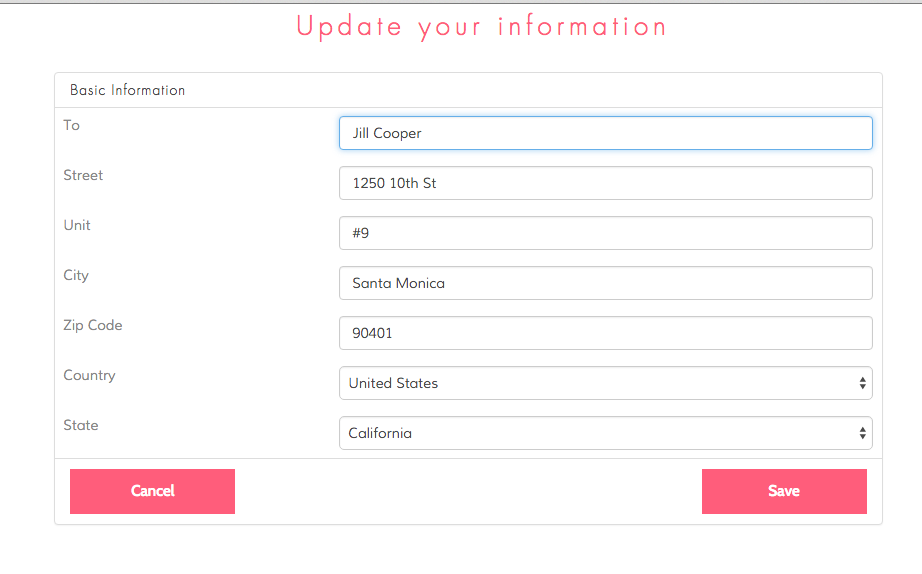
From there you can update the name and shipping address for where your Splendies are to be shipped. Click SAVE when you are finished.
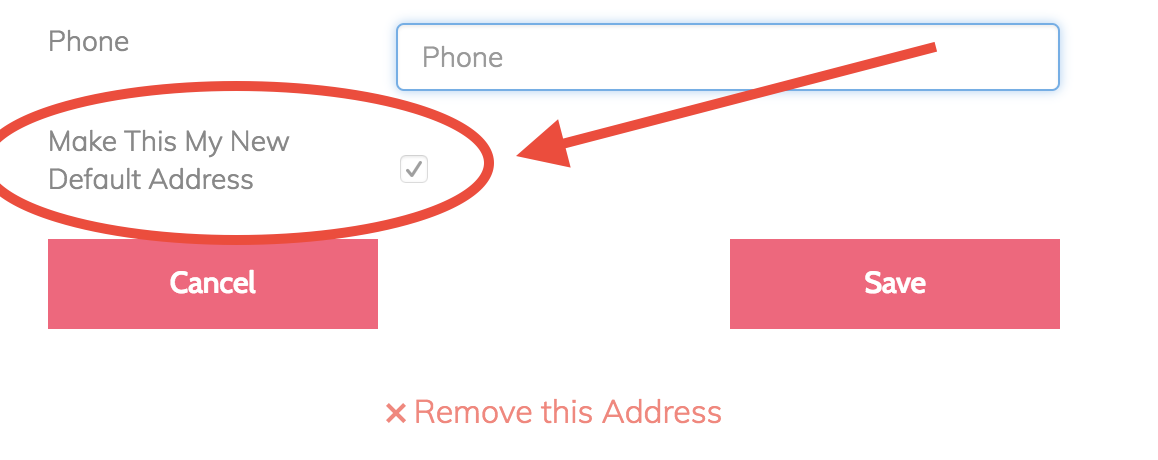
Click "Make This My Default Address" if you want your next shipment to go to this new address.
Note: In order to guarantee that your change goes into effect for that month we require that all requests be done before the 8th of each month. Requests made on or after the 8th will apply to the following month's shipment.