
We're sorry to see you go, but we understand that these things do happen.
Did you know that you can also switch to a month-to-month plan before your plan renews if you don't want to be billed for another prepaid period? You can log in to your account at any time to make changes or cancel your account. For more instructions, please go here.
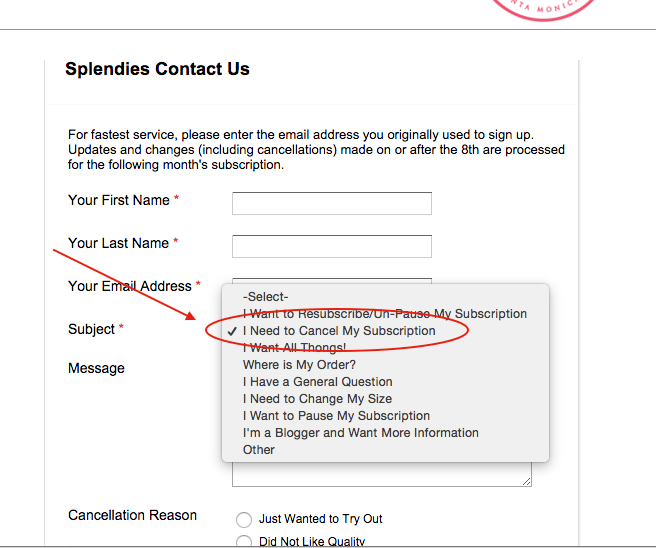
If you still wish to cancel, you can do so at any time by logging into your account and following these instructions here. Or you can also go to the Contact Us form on our website.
Enter the name and email address that you used to sign up.
Select the Subject "I Want to Cancel My Subscription" - For our own feedback, please let us know how we can improve Splendies.
Hit Submit Request. Your cancelation will be processed within 48 hours.
You can cancel a 3 month, 6 month, or 12 month prepaid subscription at anytime. However no refunds are given on these subscriptions.
Please note, cancelling your prepaid subscription disables the auto-renewal feature on your account, but will not affect your current subscription. For example, if you have a 3 month subscription, and canceled after your second month, you'd still receive your last Splendies but nothing further.
*Prepaid subscriptions are non-refundable.