

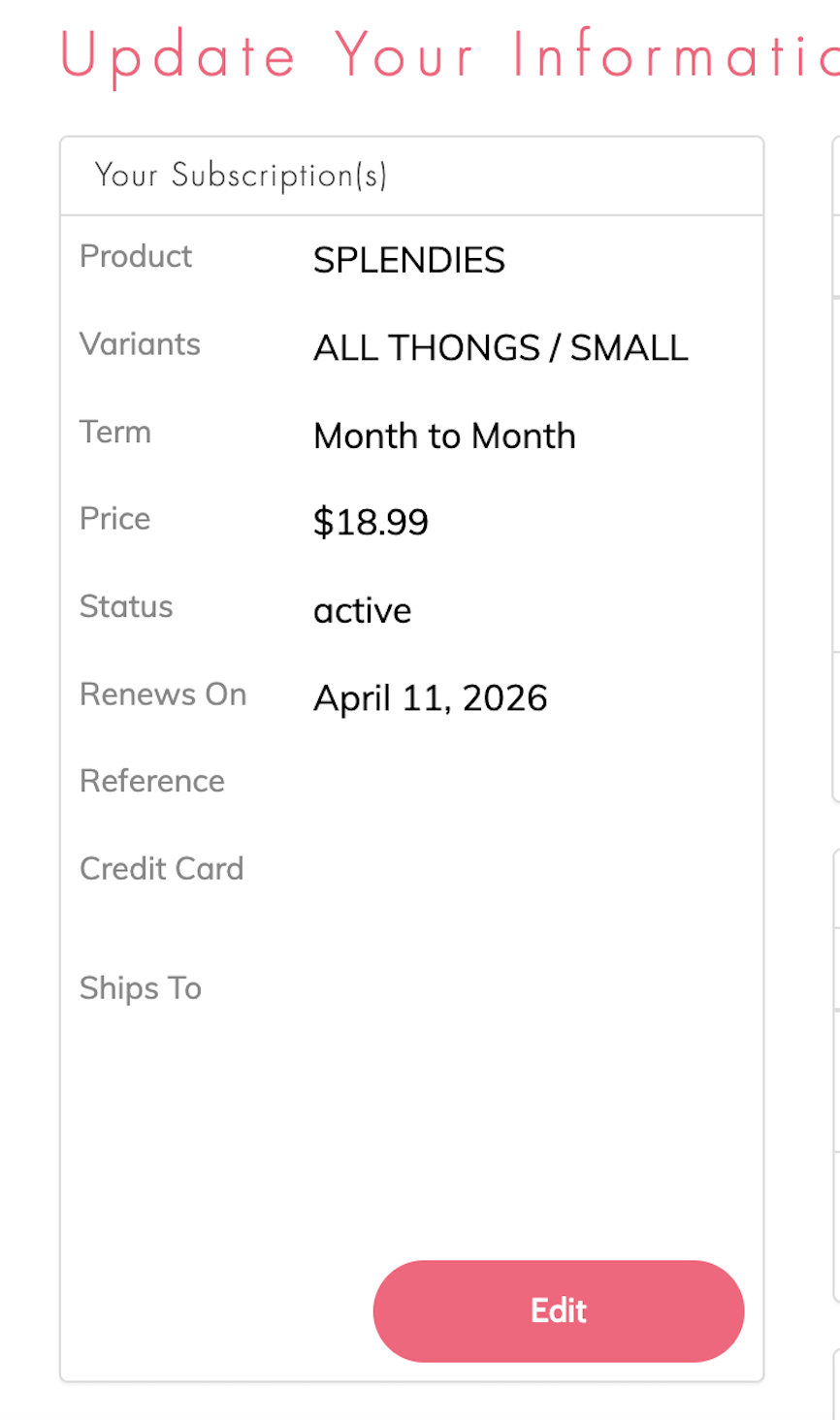
We know that sometimes you might need a little break when your underwear drawer gets full. You can skip a month of Splendies anytime before the 8th of the month by logging into your personal Member Account page. On the left hand side choose the subscription that you want to skip and select the "Edit" button under Update Your Information.
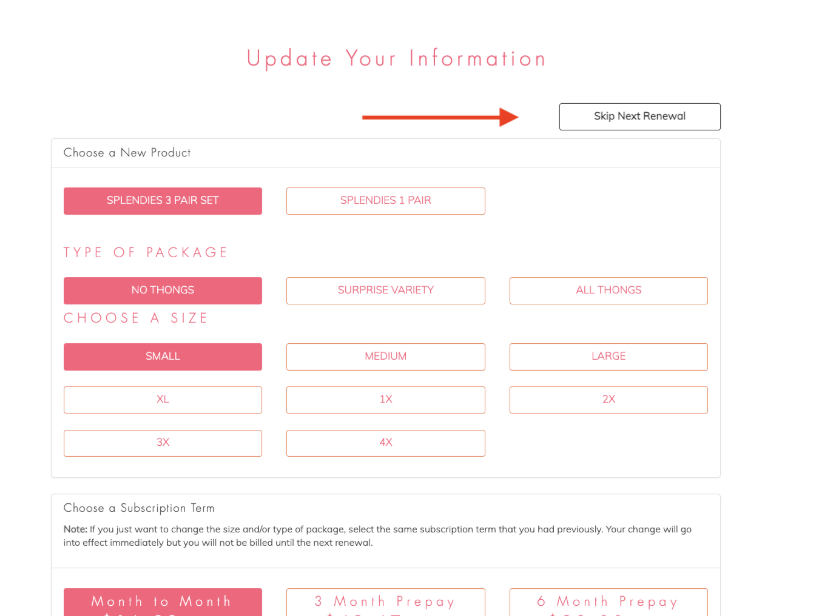
From there, you'll select "Skip Next Renewal" at the top of the page. You will receive a confirmation email that your account has been paused for the month.
*Please note that pause requests must be done before the 8th of the month to guarantee you are not billed for that month's shipment. Accounts paused after the 7th will renew for the month and the skip will apply to the next month.